
Conference Room AV Solutions Indianapolis – Expert Setup, Installation & Integration
We design, install, and configure audio visual systems for meeting spaces across Indianapolis — mounting displays, placing cameras and ceiling microphones, setting up your video conferencing platform, and tying everything to one touch panel so every meeting starts with a single tap.
Get a free meeting space assessment and quote.
Call now: (463) 223-8265
Video Conferencing & Control Systems We Design, Mount & Configure
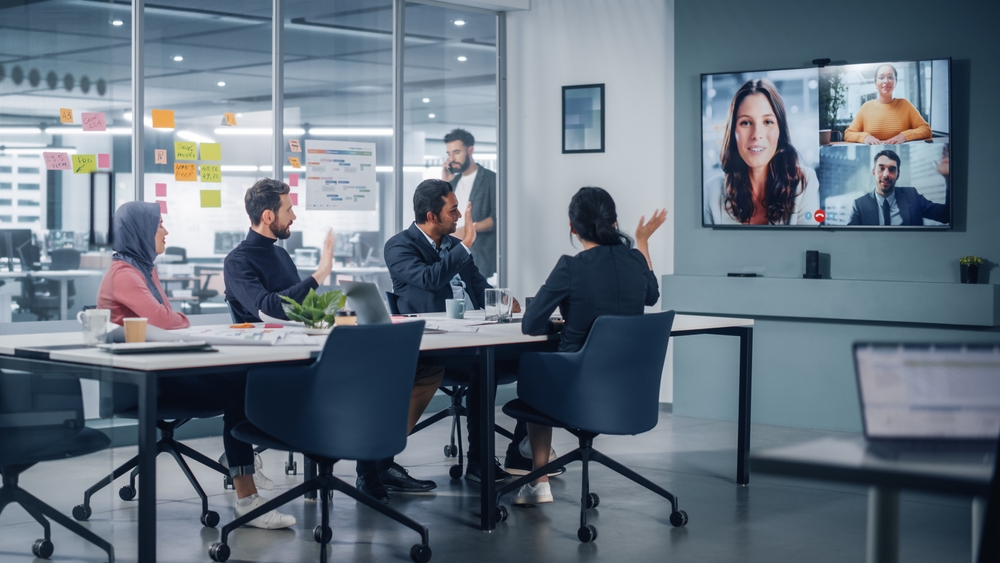
A good conference room lets people see, hear, and share without thinking about the technology. We plan each space around its seating, sightlines, and acoustics, then install the displays, cameras, microphones, and speakers as one room system. Cables run through walls and floor boxes instead of across the floor, and we tune the audio DSP so remote participants hear clear voices instead of echo.
Once the hardware is in place, we configure it for the way your team meets: a certified Microsoft Teams Rooms or Zoom Rooms kit, a one-cable BYOD laptop connection over USB-C or HDMI, saved PTZ presets with auto-framing, and control systems from Crestron, Extron, or Q-SYS that handle power, sources, volume, and lighting from a single panel. We also supply the accessories that make daily use easy, from table-mounted cable cubbies to USB-C adapters.
Displays & Large-Format Screens
Commercial 4K displays from 55″ to 98″, dual-screen layouts, and narrow-bezel arrays for executive spaces — sized so the farthest seat can read shared content.
Cameras & Conferencing
Video bars from brands such as Logitech, Yealink, and Poly, plus PTZ cameras with broadcast-style speaker tracking, so remote attendees always see who’s talking during video conferencing.
Microphones & Audio
Beamforming ceiling microphone arrays and in-ceiling speakers tuned with acoustic echo cancellation (AEC) and noise reduction.
Control & Wireless Sharing
One-touch panels that switch between laptops, media players, and calls, plus wireless presentation and scheduling displays outside the door.
Spaces We Outfit
We install and integrate meeting technology in every kind of collaboration space found in Indianapolis offices, campuses, and medical facilities:
- Huddle rooms & focus rooms (2–6 seats)
- Small & mid-size conference rooms
- Executive boardrooms
- Training rooms & classrooms
- Divisible rooms with auto-combine
- All-hands & town hall spaces
- Executive offices with personal video setups
- Law firm deposition & client rooms
- Telehealth & clinical consult rooms
- Hybrid lecture halls
- Briefing centers & customer experience centers
- Command & incident rooms
Conference Room Solutions for Any Size Space
Modern hybrid meetings put remote and in-person participants on equal footing, so equipment has to match the space. Every project is designed individually, but these are our starting points. A common rule of thumb sets image height at roughly one-quarter to one-sixth of the distance to the farthest viewer.
| Space | Seats | Display | Video | Audio | Control |
|---|---|---|---|---|---|
| Huddle space | 2 – 6 | 55″ – 65″ 4K | All-in-one video bar | Built-in bar mics & speakers | Touch console |
| Conference room | 6 – 12 | 75″ – 86″ or dual displays | Video bar or PTZ with auto-framing | Ceiling mics + DSP | Teams Rooms console |
| Boardroom | 12 – 20 | 98″ display or narrow-bezel array | Dual PTZ with speaker tracking | Beamforming ceiling arrays + DSP | Crestron, Extron or Q-SYS panel |
| Training space | 20 – 50 | Laser projector or direct-view display | PTZ with presenter tracking | Ceiling mics + voice lift | Lectern touch panel |
| Divisible space | Varies | Display or projector per section | PTZ per section | Auto-mixing DSP | Partition-sensing control |
Meeting Spaces Across Indianapolis
From downtown towers to north-side office campuses, Indianapolis teams meet in very different ways — and each setting shapes the system we design.
Law & Financial Offices
Downtown law firms and financial offices outfit deposition and client spaces with clear recording audio, discreet ceiling mics, and secure wireless presentation.
Headquarters Boardrooms
Headquarters along the Carmel corridor install narrow-bezel display arrays, dual PTZ cameras with speaker tracking, and Crestron panels for executive and investor meetings.
Startup Huddle Spaces
Growing teams in the 16 Tech Innovation District roll out repeatable huddle setups that IT can manage centrally as headcount grows.
Regional Office Training Spaces
Regional offices around Keystone at the Crossing set up divisible training spaces that split for breakouts and combine for all-hands sessions with one button.
Recent Projects

How We Set Up Your Conference Room
- Site surveyWe measure the space, check sightlines and acoustics, and confirm network access, electrical, and furniture layout.
- Design & quoteYou receive a list of recommended products and a layout showing where each display, conference camera, microphone, and speaker will go.
- Cabling & mountingWe run cable through walls and floor boxes, mount displays and cameras, and build the equipment rack.
- Configure & tuneWe set up your video conference platform, tune the DSP, save PTZ presets, and program the touch panel.
- Train & supportWe walk your team through the controls, hand over documentation, and back the work with a 12-month on-site service warranty.
Tips & Common Questions
Learn what makes a meeting space work — a few small changes can improve call quality for everyone. Our quick tips: mount cameras near eye level, keep microphones close to where people actually sit, add soft surfaces to cut echo, and label every device so anyone can get a call started.
Do you set up Microsoft Teams Rooms and other platforms?
Yes. We install and configure certified Microsoft Teams Rooms and Zoom-certified devices, including the compute unit, touch console, cameras, and audio, and we test calls end to end before handover.
Can you upgrade an existing space instead of starting over?
Often, yes. During the site survey we check which displays, cabling, and furniture can stay, and we design around them where it makes sense.
Why do remote participants say our calls sound echoey?
Echo usually comes from hard surfaces, poorly placed microphones, or missing acoustic echo cancellation. We fix it with better mic placement, DSP tuning, and acoustic treatment where needed.
Can a large executive space use more than one display?
Yes. Larger spaces and briefing centers often use dual displays or a narrow-bezel display array so remote participants and shared content appear side by side.
Get a Quote or Schedule a Site Survey
Indianapolis, IN 46216
Phone: (463) 223-8265
Email: [email protected]
Available Monday–Friday, 7 AM – 6 PM ET. Emergency service for system outages throughout the Greater Indianapolis area.
Schedule a Site SurveyReady to upgrade your meeting spaces?
Talk to a technician: (463) 223-8265